Configuration readiness
Track approved backups, device versions, recovery access and configuration ownership.
Plan preventive school network maintenance with switch, Wi-Fi, firewall, UPS, backup and firmware checks. Practical K–12 schedules, tables and FAQs.
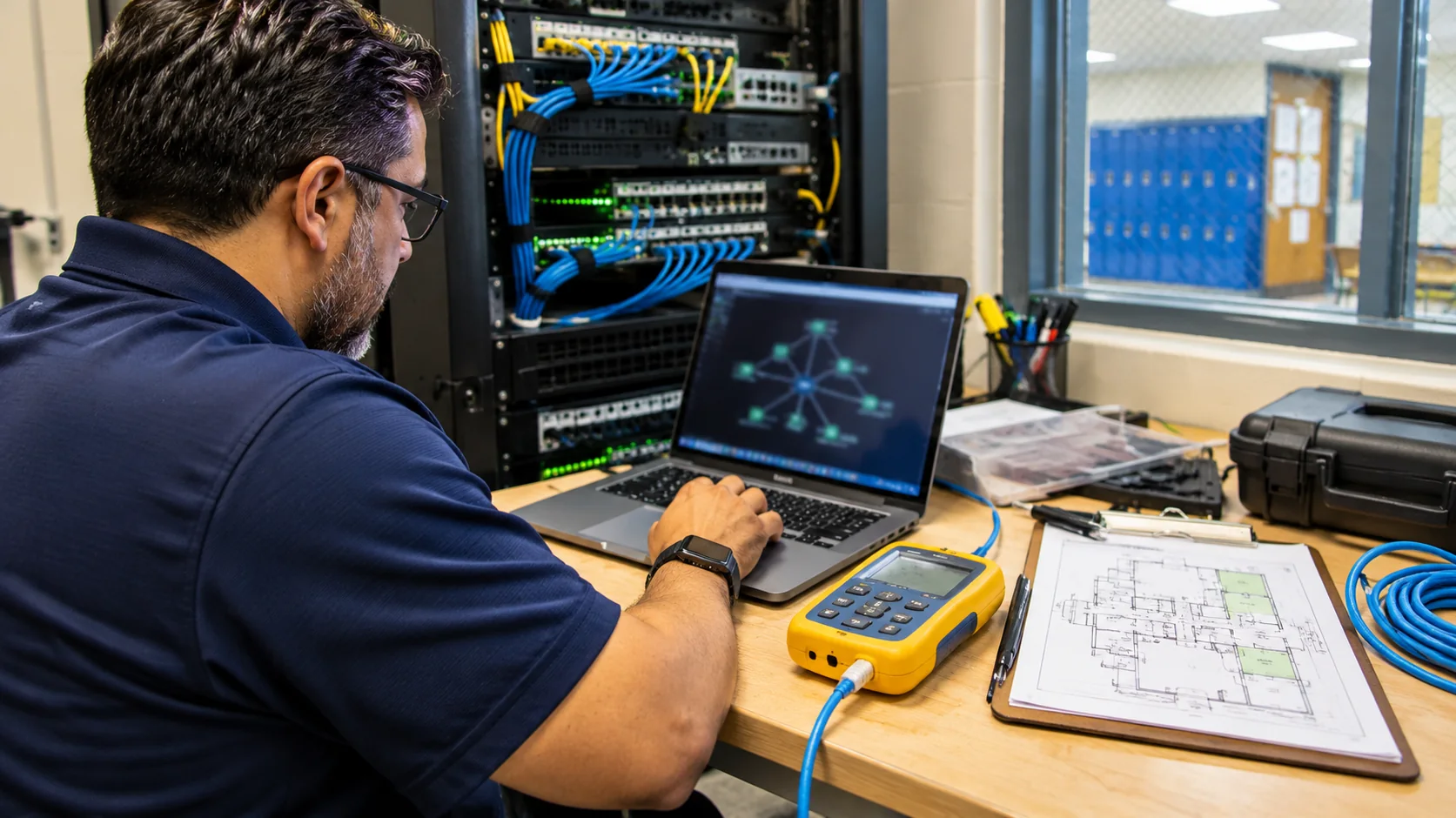
School networks connect attendance systems, student Chromebooks, teacher devices, online assessments, VoIP, classroom displays and office applications. A maintenance program makes ownership, dependencies and recovery steps visible before a failure.
Track approved backups, device versions, recovery access and configuration ownership.
Review switch errors, uplinks, PoE demand and recurring drops.
Prioritize vendor advisories, supported software and least-privilege access.
Schedule disruptive work around instruction, testing and office deadlines.
The examples below are diagnostic starting points. They do not establish a cause without evidence.
| Finding | Why it matters | Recommended next action |
|---|---|---|
| Unverified backups | Restore uncertainty | Confirm backup integrity, permissions and recovery owner |
| Outdated firmware | Security and compatibility risk | Review advisories, stage updates and rollback plan |
| Repeated port errors | Intermittent classroom connectivity | Correlate logs, cable tests and port health |
| PoE capacity pressure | APs or phones restarting | Check power budgets and load |
| Unknown topology | Slow incident isolation | Document uplinks, VLANs and critical dependencies |
| UPS warnings | Abrupt shutdown during outages | Inspect alarms, battery age and recovery needs |
| Congested wireless | Performance degradation at peak load | Measure channel use and client density |
| Expired support contracts | Delayed remediation or missing updates | Record renewal dates and supported lifecycle |
Safety and authorization: Do not reset production switches, change VLANs, update firmware or unplug uplinks without school approval, a current backup and a rollback plan. Electrical and ladder work require qualified personnel.
Every stage produces a record the school can use even when it chooses to complete the corrective work internally.
Confirm authorized assets, campus priorities, school calendar and owners.
Collect non-sensitive inventory, version, capacity, error and availability data.
Separate urgent security findings from operational improvement opportunities.
Identify approvals, outage impact, backups, testing and rollback steps.
Perform controlled maintenance in agreed windows and document deviations.
Retest critical paths, update diagrams and assign follow-up actions.
Use this sample cadence as a planning framework, then adapt it to vendor guidance, monitoring tools and the school calendar. It is not a compliance certification or guaranteed service schedule.
| Cadence | Suggested review |
|---|---|
| Ongoing, if monitored | Critical alarms, connectivity loss and security notifications |
| Monthly | Backup status, incident trends, capacity warnings and outstanding changes |
| Quarterly | Firmware lifecycle, port health, PoE budgets and documentation accuracy |
| Before testing / term start | Load readiness, critical application paths, recovery contacts and change freeze |
| Annually | Asset lifecycle, UPS condition, support contracts and replacement priorities |
| Situation | Best next decision | Approval and evidence |
|---|---|---|
| Critical security advisory affecting deployed firmware | Prioritize a controlled emergency change | Vendor advisory, exposure, backup and rollback |
| Stable but outdated supported device | Schedule a tested maintenance upgrade | Version compatibility, maintenance window |
| Intermittent uplink errors | Diagnose physical layer and port logs first | Interface counters, cable test and affected scope |
| End-of-support hardware | Budget replacement and migration | Vendor lifecycle, criticality and replacement estimate |
| No verified backups | Establish recovery readiness before risky changes | Secure export, access owner and restore test plan |
ITCAD can help structure findings and discuss an appropriate support scope. Actual availability, equipment coverage, access requirements and any on-site work must be confirmed before engagement. No uptime, response time or certification is promised by this page.
These answers address maintenance planning rather than one-time incident repair. For a current outage, see school internet connectivity problems; for an isolated switch or DNS issue, see network troubleshooting.
Need a clear next step? Contact ITCAD with the school’s general scope—never passwords or student records.
A baseline review of switch and firewall health, approved configuration backups, firmware lifecycle, port and uplink errors, wireless capacity, UPS status, documentation and a prioritized remediation log. Exact work depends on administrative access and the school’s approved scope.
Troubleshooting starts with a current incident. Maintenance establishes normal performance, identifies deterioration and schedules controlled changes before an outage. Emergency repairs are tracked separately from routine checks.
Use a risk-based cadence: monitor critical alerts continuously where tooling exists, review logs and backups monthly, inspect capacity and firmware quarterly, and conduct a deeper readiness review before major testing or the school year. These are planning suggestions, not mandatory standards.
Read-only checks usually can. Reboots, firmware upgrades, cable moves and policy changes should be approved and scheduled for a maintenance window because they can interrupt instruction.
No. Check vendor advisories, supported versions, known issues, compatibility and the security urgency. Test where possible, capture configuration backups and prepare a rollback plan before deployment.
Start with a controlled inventory of devices, management addresses, uplinks, VLANs and critical services. Validate connections using authorized records and observation; do not unplug live cables to guess topology.
Confirm the export exists, is readable, has a timestamp and is stored with restricted access. Where permitted, test restore procedures on spare or nonproduction equipment; a saved file alone does not prove recoverability.
Review power budget, per-port draw, port errors, temperature and connected access points or phones. An AP may appear intermittent if the switch cannot provide stable power.
Review test platform requirements, device counts, wireless coverage, DNS and filtering dependencies, available internet capacity and change freezes. Run an authorized representative test before the event.
Often yes. Verify firmware, channel utilization, AP adoption, cabling and placement before recommending new hardware. Replacement is justified by measured capacity, support lifecycle or hardware faults.
Use least-privilege administrative access, avoid collecting student records, redact sensitive logs, secure backups and follow district retention and incident procedures. FERPA obligations depend on the school and data involved.
Date, assets reviewed, baseline measurements, findings, severity, evidence, recommended action, owner, approval requirement, maintenance window and retest outcome. It should distinguish observations from changes actually performed.
Yes, with written authorization and clear ownership. The school should identify who controls the firewall, wireless controller, ISP circuit and vendor tickets to avoid conflicting changes.
Prioritize safety and security incidents, school-wide outages, critical systems such as testing or attendance, then recurring degradation and cosmetic documentation gaps. Record business impact rather than using alarm count alone.
Document affected security features and vendor support limits, assess exposure with the authorized administrator, and propose renewal or replacement options. Do not assume every feature stops immediately at expiration.
No intrusive scanning or penetration testing should be implied by routine maintenance. Those activities require separate written authorization, a defined scope and appropriate expertise.
Review interface errors, negotiated speed, link flaps and switch logs; then test a suspected cable or port during an approved window. Correlate findings before replacing equipment.
Consider spare power supplies, patch cables and compatible critical switches or access points based on vendor lead times, budget and recovery objectives. Spares need tested configurations and secure storage.
Compare incident frequency, port error rates, capacity headroom, backup success and time to recovery against the original baseline. Avoid promising zero outages.
Yes, within the approved scope: inspect ventilation, alarms, battery replacement dates, cable strain, rack labeling and safe access. Electrical repairs must be handled by qualified personnel.
An initial discussion can begin with inventory and symptoms. Deeper review may require time-limited read-only accounts, vendor information, network diagrams and a school-approved contact; credentials should never be sent through an unsecured public form.
No. ISP failures, power events, vendor defects and other external conditions can still cause downtime. The objective is to reduce preventable risk and improve diagnosis and recovery.
Maintain a separate asset and risk register for each campus, then compare common standards. Site-specific uplinks, budgets, building materials and schedules should not be treated as identical.
Describe the number of campuses, approximate device counts, known recurring problems, network vendors and preferred contact method. ITCAD can discuss scope and availability before any access or changes are authorized.
These official resources inform the maintenance framework; they do not certify ITCAD or replace school policies and vendor-specific instructions.
Editorial scope: this page provides practical planning information and a proposed service discussion, not evidence of completed client work, a fixed contract, E-Rate eligibility determination or a security audit.
Request a maintenance discussionCreate your account, then open a ticket. Requests are reviewed through the ITCAD support process.