Classroom interruption
Report the room, affected lesson and available workaround. Test one known-good cable or device when safe.
Independent K-12 technology support planning for Fulton County campuses: classroom triage, authorized access, device repairs and escalation.
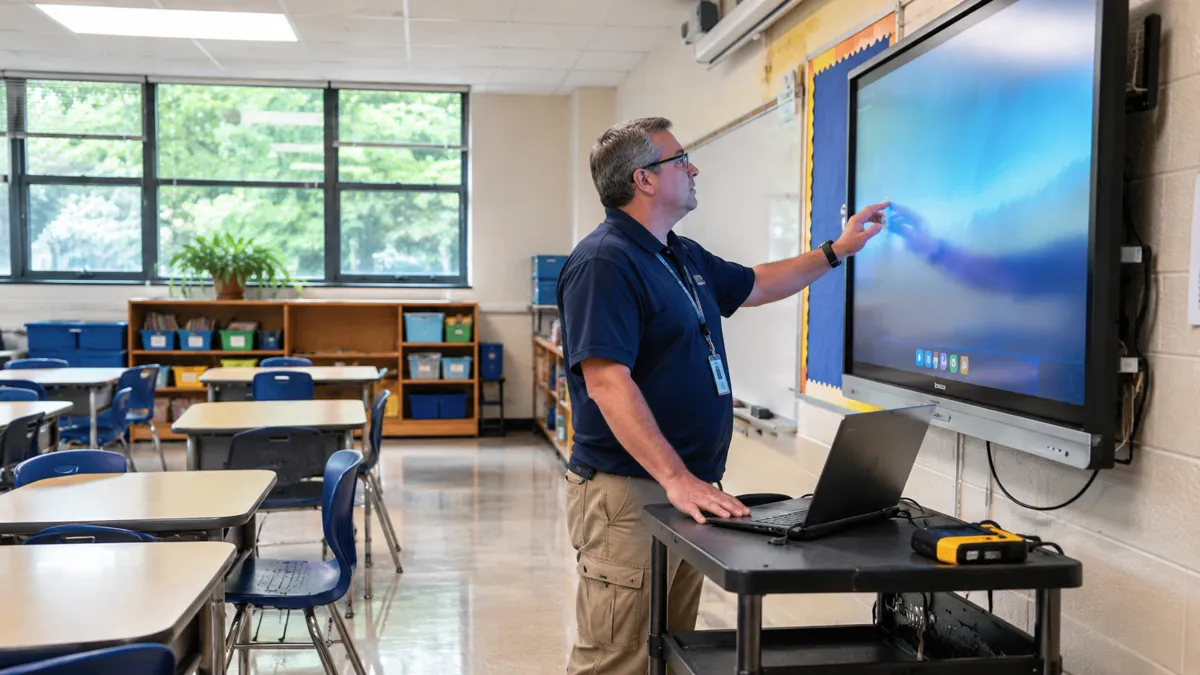
Fulton County contains campuses with different governance, technology ownership and procurement rules. Atlanta Public Schools and Fulton County Schools are distinct systems; charter and private schools may use their own approval processes. Identify the campus address, system owner and authorized contact before assigning work. ITCAD is not affiliated with either district.
For city-specific information, see Atlanta school IT support or Alpharetta support. This county guide focuses on routing and authorization across school boundaries.
Report the room, affected lesson and available workaround. Test one known-good cable or device when safe.
Route account, filtering and network policy changes to the administrator who owns those systems.
Document asset tags, visible damage, warranty status and approval requirements before moving equipment.
| Situation | Useful evidence | Initial route |
|---|---|---|
| One student device | Asset tag, charging behavior, damage | Device owner or repair queue |
| Several rooms offline | Scope, start time, wired versus wireless | Network incident owner |
| Teacher cannot sign in | Exact error and affected service | Identity administrator |
| Display has no image | Input, cable and known-good source | Classroom equipment support |
| Assessment interruption | Affected seats and approved test procedure | Assessment coordinator |
| Suspected compromise | Observed alert and affected asset; preserve evidence | School security incident channel |
Never include passwords, recovery codes, grades or student records in a routine ticket. Security incidents should follow the school’s established reporting process rather than ordinary troubleshooting.
Begin with observable symptoms and the number of affected users. Remote assessment may establish whether a problem follows an account, device or classroom. Physical repairs, charging equipment and cable faults may require an authorized visit. Confirm scheduling and costs separately; no coverage or turnaround is guaranteed.
After work, test the original classroom task, document any remaining limitation and return the asset through the school’s inventory process. For recurring problems, compare incidents by model, room and date before approving broad changes.
Practical answers for school staff coordinating authorized technology assistance.
How ITCAD worksNo. ITCAD is an independent provider. A campus must authorize any work, and this page does not imply a district contract or endorsement.
Yes, an authorized school representative can submit an inquiry. Confirm the actual campus address and responsible school system rather than relying on the city name.
No. Atlanta Public Schools and Fulton County Schools are separate systems. Private and charter schools may have different governance and purchasing arrangements.
The person designated by the school’s procurement and technology policies should approve scope, access, parts and costs before work begins.
Use the school-approved reporting route. Include room, asset tag, symptom and instructional impact without sharing passwords or student records.
Only with authorization and a clear division of responsibility. District-controlled networks, accounts and policies should remain with their designated administrators.
Escalate through the campus incident process and confirm whether multiple rooms and wired devices are affected. Avoid resetting shared equipment without approval.
Many hardware checks do not require a reset. Back up permitted local data and obtain approval before any destructive recovery or replacement.
No. Location, access, scheduling, scope and availability must be reviewed before a visit is confirmed.
Some account, software and configuration symptoms can be assessed remotely using approved tools. Physical damage and cabling faults may require inspection.
Provide equipment counts, models, symptoms, campus location, deadline, approval contact and any warranty restrictions. Do not send credentials.
Only when the school grants appropriate authorized access. Use least privilege and document the requested change and rollback plan.
Follow the assessment coordinator’s approved procedures. Record affected seats and error messages, and do not alter secure testing configurations without permission.
A coordinating request can summarize the project, but keep campus-specific assets, approvals, access windows and outcomes separately traceable.
Minimize data in tickets. Any access to education records requires an applicable legal basis, school authorization and appropriate contractual safeguards.
Ask the school inventory owner about approved loaners. Availability and assignment rules are not guaranteed by submitting a repair request.
Compare incident dates, room, device model, software version and prior repair outcomes. Separate device-specific patterns from shared network or power problems.
Record the confirmed symptom, approved work, parts, test result, remaining limitations and school handoff. Exclude secrets and unnecessary personal data.
No response time is promised here. Any service hours, escalation commitments or deadlines must be agreed in writing.
Register the school or contact ITCAD through the approved portal. An inquiry is reviewed before scope, access, pricing or scheduling is agreed.
These references do not imply affiliation, certification or endorsement.
Create your account, then open a ticket. Requests are reviewed through the ITCAD support process.