Remote triage
Collect symptoms, scope and safe evidence before requesting access.
COBB COUNTY · K–12 TECHNOLOGY
Plan authorized K–12 technology support in Cobb County: campus triage, Chromebook repairs, classroom connectivity, remote help and on-site visit preparation.
Independent support for authorized school contacts. Coverage, pricing and scheduling require confirmation.
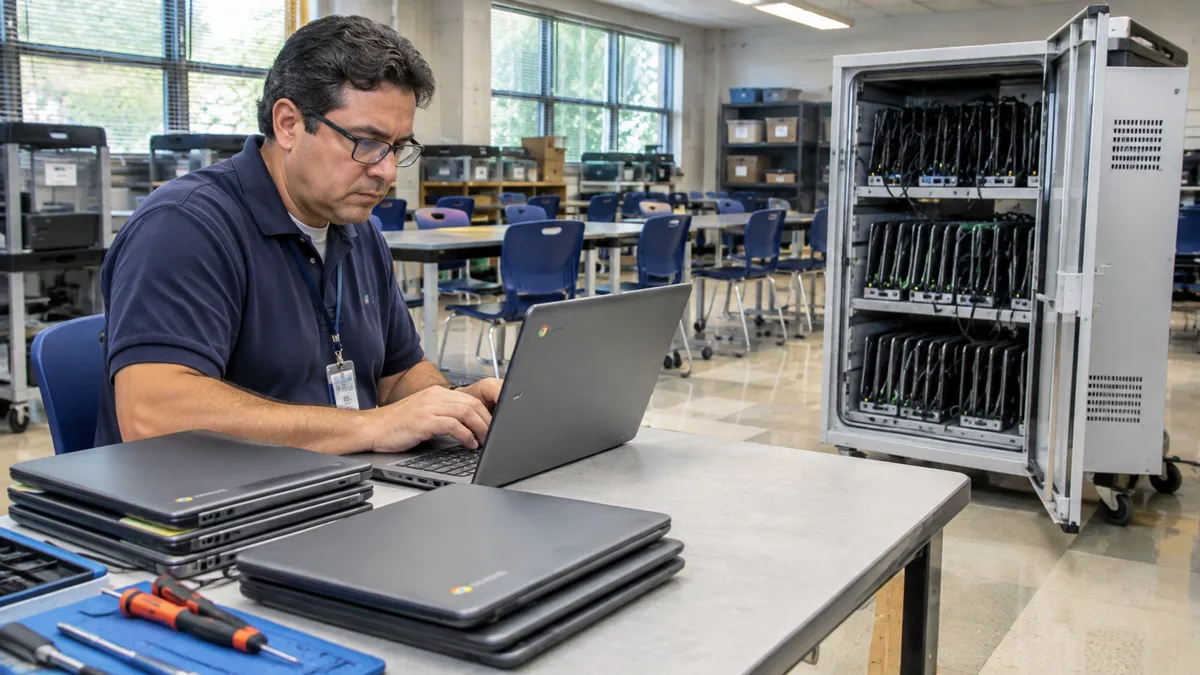
Cobb County support requests should identify the actual school operator, campus location and person authorized to approve work. A school in Marietta may belong to a different governing system from a nearby campus. ITCAD does not assume access to district networks or procurement approval.
Use a ticket for routine triage; follow the school’s emergency procedure for safety incidents, suspected compromise or a major outage.
Collect symptoms, scope and safe evidence before requesting access.
Confirm address, visitor procedures, room access and an approved work window.
Prepare asset counts, custody records, warranty checks and parts authorization.
| Situation | Evidence to collect | Next step |
|---|---|---|
| One student device | Asset tag, model, symptom | Device diagnosis |
| One classroom offline | Room, time, comparison tests | Local connectivity triage |
| Multiple buildings affected | Campus list, scope, outage start | School incident escalation |
| Teacher account problem | Approved identity recovery route | Authorized account team |
| Display failure | Input, cable, picture/touch/audio | Classroom equipment assessment |
| Repair backlog | Counts, models, damage categories | Batch scope and estimate |
ITCAD can review requests involving student Chromebooks, teacher computers, classroom displays, charging equipment and connectivity. Scope and availability are confirmed individually. No response-time guarantee, district contract, certification or countywide on-site coverage is implied.
Student Chromebooks · Teacher computers · Wireless networks · How ITCAD works
Practical answers for school staff planning authorized support.
Authorized contacts at public, charter and private K–12 schools can request a scope review. An inquiry does not establish district approval or a service agreement.
No. ITCAD is an independent provider and does not claim district affiliation, endorsement or an existing contract.
No. Marietta City Schools is a separate school system. Confirm the campus governing organization and procurement authority before arranging work.
Teachers should follow their school’s approved reporting process. Work involving managed systems requires authorization from the responsible school contact.
A ticket can begin remote triage when the school permits it. Device access, identity verification and the permitted tools must be agreed first.
No. Provide the campus address, issue scope and access window so travel feasibility and scheduling can be confirmed.
Include campus, room, asset tag, symptom, affected users, timing and safe tests already attempted. Do not include passwords or student records.
Submit a campus-by-campus inventory and designate an authorized coordinator. Separate location, access and priority details prevent one campus’s issue from obscuring another.
Use the school’s established emergency or security escalation channel for critical incidents. A routine ticket does not guarantee immediate response.
Provide model counts, asset tags, damage categories and warranty information. Agree on custody, parts approval and return testing before handing over devices.
Yes, subject to scope. Record the operating system, symptom and instructional impact; school-managed software and account changes require approval.
Compare another device in the same room and the affected device elsewhere. Report room, time and scope; network configuration changes belong to authorized administrators.
Only with explicitly authorized administrative access and an agreed change scope. Never send administrator passwords in a ticket.
Report the display model, input source, connected computer and whether picture, touch or audio fails. Avoid opening equipment or bypassing electrical safeguards.
Minimize information in tickets, use approved secure channels and define access and retention requirements. The school determines the applicable legal basis and vendor controls.
Not automatically. Diagnosis, replacement parts, labor and any travel charges should be identified in a written estimate or agreement.
Timing depends on diagnosis, parts, authorization and scheduling. Ask for an estimate after the affected equipment and scope are known.
Provide acceptable maintenance windows and building access requirements. Availability must be confirmed rather than assumed.
Use an agreed asset register and custody process. The school decides whether loaners are available and who may access stored data.
An authorized contact can register or open a ticket, describe the campus and issue, and request a scope review before approving work.
These organizations do not endorse ITCAD.
Create your account, then open a ticket. A real person answers every request.