Student device support
Chromebook and laptop diagnosis, repair intake and return testing.
Independent school technology support for authorized contacts in Carrollton, Georgia. Request help with classroom display troubleshooting, classroom technology and student or staff devices.
Carrollton has a separate city school system; verify whether the campus belongs to Carrollton City Schools or Carroll County Schools before obtaining authorization. Independent schools should confirm their own approval process.
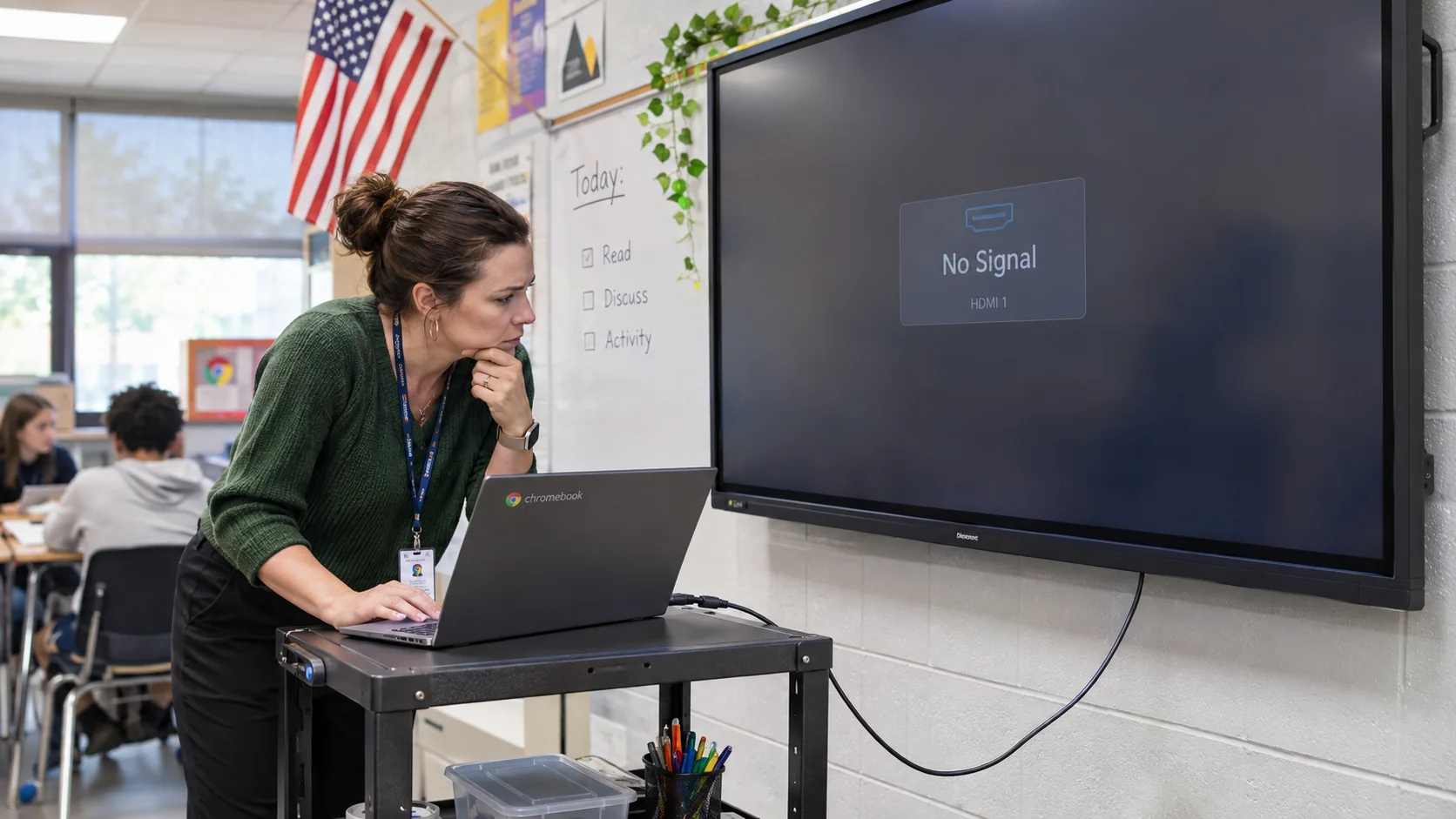
Example scenario: A classroom display powers on but does not show the teacher laptop image.
Chromebook and laptop diagnosis, repair intake and return testing.
Approved troubleshooting of staff computers, printers and classroom connections.
Authorized account, enrollment and policy investigation.
WiFi symptom collection and escalation to the responsible network administrator.
Interactive displays, projector inputs, audio and teaching workstation checks.
Ticket triage, task documentation and individually confirmed site visits.
Student Chromebooks · Teacher Computers · Wireless Networks · Interactive Displays · Google Admin · How ITCAD Works · School technology services
When a school advertises for a Technology Support Specialist, School IT Technician or School Support Field Technician, the underlying need may be recurring desktop support, incident coverage or a defined project. Decide which responsibilities must remain internal and which can be scoped externally.
| Requirement | Approach to evaluate | Decision evidence |
|---|---|---|
| Daily campus presence | Internal technician or approved staffing arrangement | Hours, supervision, response requirements |
| Repair backlog | Defined batch repair project | Device counts, damage, custody |
| Classroom display troubleshooting | Scoped assessment and authorized follow-up | An input and display test record with an approved next action. |
| Recurring tickets | Remote or supplemental help desk support | Ticket volume, access and escalation |
Check the selected input, an approved known-good cable and laptop display mode; record whether the fault follows the source or display.
Expected deliverable: An input and display test record with an approved next action. Confirm scope before work begins.
Use this checklist before opening a ticket or requesting a scope review.
Practical answers for school leaders and technology coordinators in Carrollton.
Authorized school contacts in Carrollton can submit an inquiry. Confirm the campus address, governing organization, scope and availability before work is agreed.
Check the selected input, an approved known-good cable and laptop display mode; record whether the fault follows the source or display.
Record the input, source device and whether another approved cable or source works.
A school can request a defined set of tasks or a project review. The existing IT owner retains authority over systems and approves access.
No. This page describes independent technology support services, not an employment advertisement or staffing guarantee.
Include display model and selected input, cable and source test results, and instructional impact. Do not include passwords or student records.
On-site availability, travel costs, visitor procedures and work windows must be confirmed in advance. Remote triage may help determine whether a visit is necessary.
Only after the responsible school administrator approves the exact change and delegated access. Never share passwords in tickets.
Report the rooms, time and affected services to the school network owner. Compare known-good devices where authorized; do not reset production network equipment without approval.
Keep student records and credentials out of routine tickets. Agree on authorized access, secure evidence handling and retention with the school.
Request a written estimate identifying labor, parts, travel and exclusions. No fixed countywide rate is implied.
No. ITCAD is independent and does not claim a district contract, endorsement or official affiliation.
Consult the Carrollton City Schools and Carroll County Schools official website and the Georgia public school directory to verify campus information. For managed devices use Google Chrome Enterprise and Education Help; for privacy guidance consult U.S. Department of Education FERPA resources. These organizations are references, not ITCAD clients or endorsements. Related ITCAD service: classroom display troubleshooting.
Submit the campus, affected equipment and requested outcome for an independent scope review.
Create your account, then open a ticket. Requests are reviewed through the ITCAD support process.