Mechanical integrity
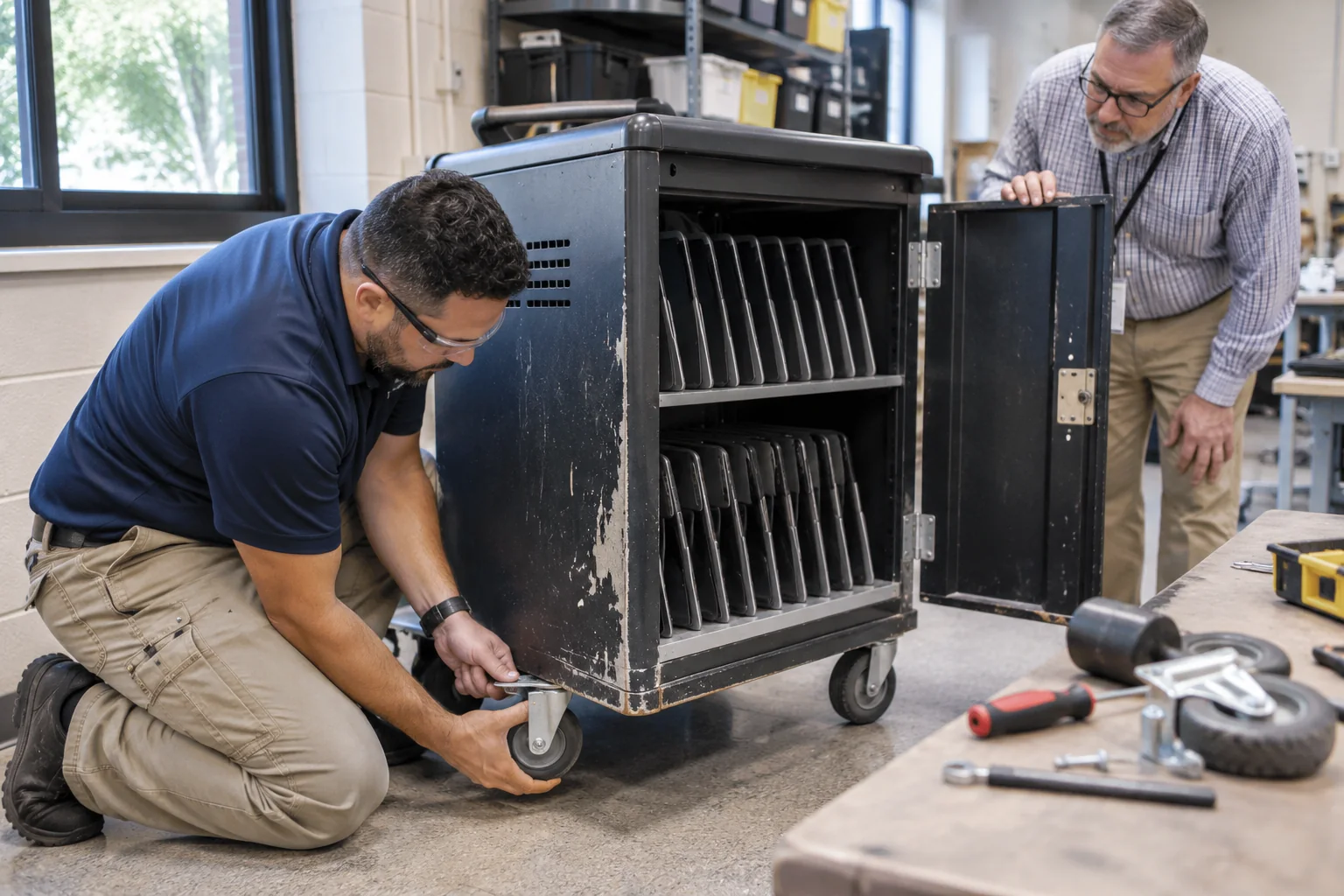
Assess casters, brakes, frame, handles, door alignment, locks and stability under the manufacturer’s intended load.
When a charging cart has worn wheels, damaged doors, aging power components or a changing Chromebook fleet, schools need a defensible decision: restore it safely or replace it.
Use this inspection-first guide to evaluate risk, prioritize approved repairs and document a return-to-service decision.
The decision comes first
A school charging cart is a mobile storage and power system. A fresh coat of paint cannot fix an unstable chassis, damaged wiring or incompatible charging architecture. Restoration begins with safety and serviceability, then evaluates the economics of approved parts and labor.
Assess casters, brakes, frame, handles, door alignment, locks and stability under the manufacturer’s intended load.
Identify damage, heat, odor, moisture and power-system faults. Keep suspect units out of service pending qualified evaluation.
Check current device dimensions, charging standards, ventilation and supported manufacturer parts before authorizing work.
Fault classification
This matrix helps a school technology coordinator distinguish a straightforward mechanical repair from a hazard or an uneconomical retrofit.
| Observed condition | Possible cause | Immediate school action | Restoration decision |
|---|---|---|---|
| Wobbly cart or broken wheel | Caster, mounting plate, frame deformation | Remove from use if unstable; inspect unloaded | Manufacturer-approved caster or replace cart if frame compromised |
| Door will not latch | Hinge, latch, distorted door/frame | Keep secured and unplugged for inspection | Repair approved hardware; retire if frame cannot align |
| One bay fails to charge | Device, adapter, cable, distribution segment | Compare known-good compatible devices and adapters | Replace approved cable/adapter; escalate electrical fault |
| Multiple bays dead | Distribution module, timer, supply circuit | Stop use if heat, odor or damage; isolate safely | Qualified electrical evaluation and approved module |
| Overheating or burning smell | Blocked vents, overloaded or failed electrical component | Unplug if safe, isolate, report immediately | Do not return without qualified inspection |
| Corrosion near base | Moisture, frame deterioration | Photograph and assess structural areas | Replace if load-bearing components are weakened |
| New Chromebooks do not fit | Slot width, cable reach, power incompatibility | Measure devices and check specifications | Approved retrofit or replacement |
| Missing safety labels | Wear, cleaning, prior modifications | Identify model and original ratings | Obtain manufacturer documentation; do not guess |
These are triage examples, not a substitute for model-specific manufacturer instructions or an electrical safety inspection.
Practical workflow
Record each stage as a work-order milestone so the school can audit why a cart was returned, repaired further or retired.
Record model, serial, asset tag, location and defects. Unplug before mechanical inspection and quarantine any hazardous cart.
Inspect frame, welds, caster mounts, wheels, brakes, hinges, doors, locks, handles and sharp edges.
Compare the cart rating and manufacturer guidance against device power needs, adapter types, slot dimensions and airflow.
Separate cosmetic, mechanical and electrical items. Obtain approved parts and qualified electrical support where required.
Perform authorized work, protect labels and vents, capture parts and labor, and record unresolved issues.
Verify stability, movement, brakes, door operation, cable routing and supervised charging; obtain school sign-off.
Budget and procurement
| Decision | Usually appropriate when | Key limitation |
|---|---|---|
| Repair existing cart | Frame is sound, exact replacement casters or latches are supported, and electrical system passes review. | Parts and labor must be available at a defensible cost. |
| Approved retrofit | Manufacturer offers a documented upgrade compatible with present devices and electrical ratings. | Do not substitute unapproved power modifications. |
| Replace cart | Structural instability, unsupported electrical parts, incompatible charging or poor total economics. | Procurement should validate capacity, safety documentation and future fleet needs. |
For a transparent comparison, request line items for labor, manufacturer-approved components, shipping, downtime, inspection and warranty. Consider the replacement cart's expected service support, not just its purchase price. Avoid inventing a fixed restoration cost before identifying the model and damage.
Acceptance checklist
Use this checklist with the school asset record. Checking a box here does not itself certify the cart as safe.
Questions schools actually ask
Answers for school administrators, technology coordinators, facilities teams and IT technicians planning the next step for aging charging carts.
Restoration is a documented process of inspecting an aging cart, repairing serviceable mechanical components, checking its charging system through qualified personnel, and validating that it can safely return to school use. It is not a cosmetic repaint alone.
Maintenance preserves a functioning cart through cleaning, cable checks and periodic inspections. Restoration addresses accumulated wear, damaged assemblies and obsolescence, often requiring a repair-versus-replacement decision before work begins.
No. Remove it from service, label it, and refer the damage to authorized qualified personnel. Do not tape a frayed cord or continue charging devices while waiting for a repair.
Often, if the manufacturer supplies compatible casters and a trained person can install them to the specified load rating and mounting method. Confirm brakes, stability and rolling behavior after replacement.
Inspect hinges, alignment, latch hardware and signs of frame distortion with the cart unplugged. If the door cannot be secured without forcing it, restrict access and repair before normal classroom use.
Surface corrosion may be manageable after assessing location and extent. Structural rust near caster mounts, hinges or electrical enclosures warrants a qualified assessment and may make replacement the safer option.
Only if the manufacturer provides an approved conversion or a qualified design review confirms electrical ratings, device compatibility, cable routing and ventilation. Do not improvise power-distribution modifications.
A damaged adapter, cable, outlet, power distribution segment or Chromebook can cause a single-bay symptom. Isolate with known-good compatible components without opening energized electrical assemblies.
Check physical stability, brakes, doors, clearances and approved power components; then run a supervised charging test using representative compatible devices. Document any failed bay and repeat testing after corrections.
Electrical assemblies should be repaired only as permitted by the manufacturer and applicable requirements, by qualified personnel. A damaged integrated power assembly is often a reason to replace the approved module or retire the cart.
Disconnect power only when safe, keep it out of service and arrange a qualified electrical inspection. Dry appearance does not prove insulation or internal components are safe.
Cosmetic work may be possible after the electrical system is isolated and all vents, labels, grounding points and moving parts are protected. Paint must not conceal corrosion, damage or safety information.
Costs depend on cart model, available manufacturer parts, technician time, shipping, and whether power modules or structural assemblies need replacement. Obtain an itemized estimate and compare it with a compliant new cart.
Replacement is usually preferable when the frame is unstable, approved electrical parts are unavailable, the cart cannot accommodate current devices, or total repair cost approaches a suitable replacement.
There is no universal lifespan. Continued service depends on structural condition, manufacturer support, electrical safety, usage, and inspection findings; avoid promising a fixed number of years.
A designated school technology or facilities owner should review the completed work order and inspection evidence. Electrical work requires sign-off by appropriately qualified personnel.
Keep cart asset ID, location, model, serial number, photos, observed defects, work authorization, parts used, electrical inspection outcome, charging test results and the return-to-service decision.
Replace illegible inventory labels and preserve original manufacturer safety and rating labels. Never apply labels that misstate electrical ratings or imply manufacturer certification.
Yes. Inventory carts first, group by model and defect, prioritize safety hazards, pilot one representative repair and maintain separate acceptance records for every cart.
Schedule work during breaks, assign temporary charging capacity and coordinate device collection. Never overload substitute outlets or use extension-cord arrangements that violate site rules.
Verify manufacturer, exact model, serial range, dimensions, mounting points, electrical ratings, approved part number and warranty terms. Generic fit alone does not establish suitability.
No. Cart restoration focuses on the mobile enclosure, mechanical hardware, charging infrastructure and safe fleet storage. Individual Chromebook faults should be tracked and repaired separately.
Sources and related services
Use the specific cart manufacturer's manual first. These official resources provide broader safety, electrical and device-management context:
Related ITCAD guides: Charging cart maintenance · Cable management · Charging station troubleshooting · Classroom cart organization.
Share the cart make/model, photos, number of affected units, charging symptoms and school location. ITCAD can review the request and discuss appropriate next steps.
Open the ITCAD support portalCreate your account, then open a ticket. Requests are reviewed through the ITCAD support process.