One accountable intake path
Consolidate email, portal, and approved walk-up requests into one trackable queue without losing urgent escalation.
K–12 service operations • Staff support
A school service desk should restore classroom technology, fulfill approved requests, and keep staff informed—without turning every issue into an email chase.
Explore the difference between incidents and requests, campus-aware triage, safe escalation, measurable workflows, and a realistic implementation plan.
Request IT SupportGuidance and service scope are separate: confirm availability and terms before engaging ITCAD.
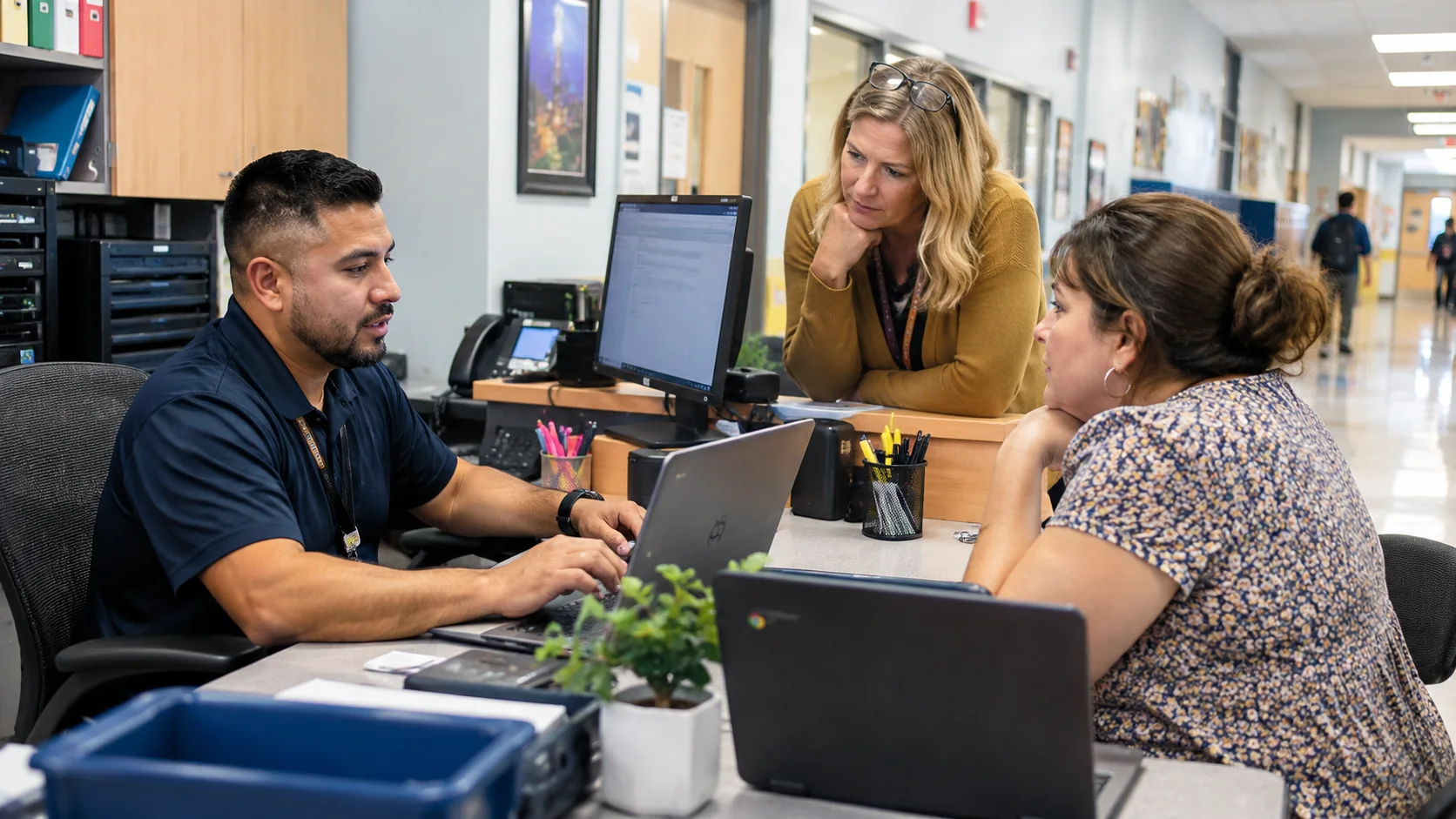
A reliable service desk is an operating model, not merely a ticket form. It links the classroom problem to a named owner, a practical next action, and a clear update for the person who reported it.
Consolidate email, portal, and approved walk-up requests into one trackable queue without losing urgent escalation.
Separate unplanned outages from planned provisioning, equipment moves, access changes, and software requests.
Assign a school, room, affected asset, technician, and next action to each issue; avoid tickets without owners.
Prioritize by the number of classrooms affected, urgency, accessibility, and security—not simply arrival order.
Use least privilege, careful data collection, secure remote tools, and retention policies suitable for school records.
Review unresolved aging tickets, recurring device problems, vendor handoffs, and actual classroom impact.
School staff should not need to know IT terminology to ask for help. The intake form can use plain language while the service team classifies the work behind the scenes. Security events need their own urgent handling process.
| School scenario | Workflow | Useful intake details | First response goal |
|---|---|---|---|
| Classroom display stops working | Incident | Room, model, connection path, affected lesson | Restore instruction; test source and display |
| New teacher starts Monday | Service request | Approved start date, role, campus, assigned device | Authorize and provision accounts and device |
| Wi-Fi fails in multiple rooms | Major incident candidate | Buildings, SSIDs, number affected, outage time | Coordinate network triage and staff updates |
| Student Chromebook battery fails | Incident / asset repair | Asset tag, model, symptoms, loaner need | Diagnose and document repair disposition |
| Software requested for a class | Service request / change | Software, devices, instructional purpose, approval | Review licensing, privacy, compatibility |
| Suspected compromised account | Security incident | Account identifier and safe initial facts | Follow security response procedure immediately |
Illustrative workflow examples, not contractual response-time commitments.
| Priority example | Typical impact | Routing and communication |
|---|---|---|
| Critical | Broad outage, severe security event, or safety-critical service disruption | Immediate emergency channel and designated incident lead; communicate status to affected leaders |
| High | Several classrooms blocked or urgent accessibility requirement | Expedited assignment, workaround evaluation, scheduled updates |
| Normal | One teacher's device failure with a workable alternative | Standard queue, asset details, clear next update |
| Planned | Approved setup, installation, or equipment move | Scheduled fulfillment and required approvals |
Schools should set actual response and restoration targets from staffing, campus hours, vendors, and available spare devices. Acknowledging a ticket is not the same as restoring instruction.
List support channels, campus contacts, frequent outages, and recurring requests.
Document which requests belong to school staff, outside providers, vendors, and leadership.
Agree on impact/urgency definitions and an emergency reporting channel.
Use role permissions, minimal required fields, asset tags, and a short staff-facing form.
Test with representative teachers and office staff; validate status updates and accessibility.
Review backlog, response, restore time, repeat failures, and school feedback monthly.
Use this checklist during a school leadership or technology-team planning session. Your selections remain in this browser session and are not transmitted.
It is the coordinated point of contact for technology incidents and requests, with documented ownership, communication, escalation, and resolution across teachers, administrators, and school technology staff.
A help desk commonly emphasizes fixing incidents. A service desk also manages routine requests, communications, changes, knowledge articles, asset relationships, and reporting. Schools can adopt the broader workflow without buying an expensive platform.
Staff device failures, classroom display issues, network access, account provisioning, printer problems, Chromebook fleet issues, approved software requests, and shared-service outages should have documented intake paths.
Record emergencies for accountability, but provide a separate urgent contact path for widespread instructional outages or safety-critical systems. An email-only queue is insufficient for emergencies.
Use impact and urgency together. A campus-wide network outage typically outranks one nonessential peripheral failure; an individual accessibility accommodation can also warrant urgent attention.
School and room, affected device asset tag, short symptoms, when the problem started, number of users affected, and safe reproduction steps. Avoid student records, passwords, and unnecessary personal details.
Yes. Route requests by site, device, category, and support ownership while preserving a single request history. Publish campus-specific escalation contacts and access rules.
Use a small consistent vocabulary: New, Triaged, In Progress, Waiting on School, Waiting on Vendor, Resolved, and Closed. Define who can move a ticket and what communication accompanies each transition.
An incident is an unplanned interruption, such as a projector failing. A service request is a planned need, such as a new staff account or approved software installation; requests often need approvals and scheduled fulfillment.
Use an approved checklist tied to HR or school leadership authorization. Track account creation, role-based access, assigned devices, recovery of assets, and timely access removal.
That depends on age, district policy, accessibility needs, and moderation capacity. Many schools use teacher-mediated reporting for younger students and controlled student intake for older grades.
Collect only necessary information, restrict ticket access by role, apply retention rules, avoid placing student educational records in general notes, and assess vendor contracts and FERPA obligations with school counsel.
Only under school-approved tools and authorization. Confirm user consent where required, record actions, use least-privilege accounts, and avoid accessing unrelated student information.
Keep a school-owned ticket open with a named coordinator. Record vendor case number, next update date, affected assets, and the communication plan; do not expose more student data than necessary.
Choose targets based on staffing, school hours, impact, and contract terms. Distinguish acknowledgment from restoration; do not promise same-day repairs for parts-dependent hardware without evidence.
Track first-response time, time to restore service, aging backlog, repeat incidents, requests by campus, device failure patterns, and teacher satisfaction. Interpret metrics in context instead of rewarding rushed closures.
Associate tickets with asset tags, model, age, and failure category. Review clusters by classroom and model to identify batteries, charging carts, network configuration, or deployment problems.
A named owner, escalation triggers, secondary contacts, vendor dependencies, communication cadence, and a clear decision maker for instructional disruption or security incidents.
Use a separate security response route for suspected phishing, compromised accounts, malware, or lost devices. Do not ask staff to paste passwords or sensitive evidence into ordinary tickets.
Not always. A small school can begin with a secure ticket system and defined processes; evaluate integrations, reporting, permissions, accessibility, support, exportability, and total cost before expansion.
Pilot with a few staff groups, publish a short intake guide, train office personnel, verify urgent escalation, gather feedback, and expand campus by campus after reviewing early ticket data.
Define covered services, support hours, responsibilities, response and escalation terms, data protection, subcontractors, reporting, access revocation, ownership of tickets, and transition/export provisions.
ITCAD can be contacted about school technology support through its support portal. The service scope, hours, onsite availability, and any contractual commitments must be confirmed directly before work begins.
Inventory existing intake channels and recurring pain points. Choose one official request path, define urgency rules and ownership, and measure the first month before adding automation.
Use primary sources to evaluate student privacy, cybersecurity, and device-specific procedures. Links are informational and do not imply endorsements.
Important: FERPA applicability depends on the records, provider role, and specific arrangements. School leadership and counsel should review access and contracts; this page is not legal advice.
Describe your campuses, device mix, ticket volume, and immediate support challenges. ITCAD can discuss possible next steps; specific coverage and availability must be confirmed.
Contact ITCAD SupportCreate your account, then open a ticket. Requests are reviewed through the ITCAD support process.