Loose USB-C connection
Cable moves unusually or charging cuts in and out; stop repeated insertion.
A Chromebook that will not charge does not automatically need a new USB-C port. Schools can avoid unnecessary repairs by separating power-adapter problems, cable faults, battery symptoms and actual connector damage before approving parts or labor.
Use this school-focused guide to record evidence, recognize unsafe charging conditions, check model-specific repair options and keep a student learning while a device is assessed.
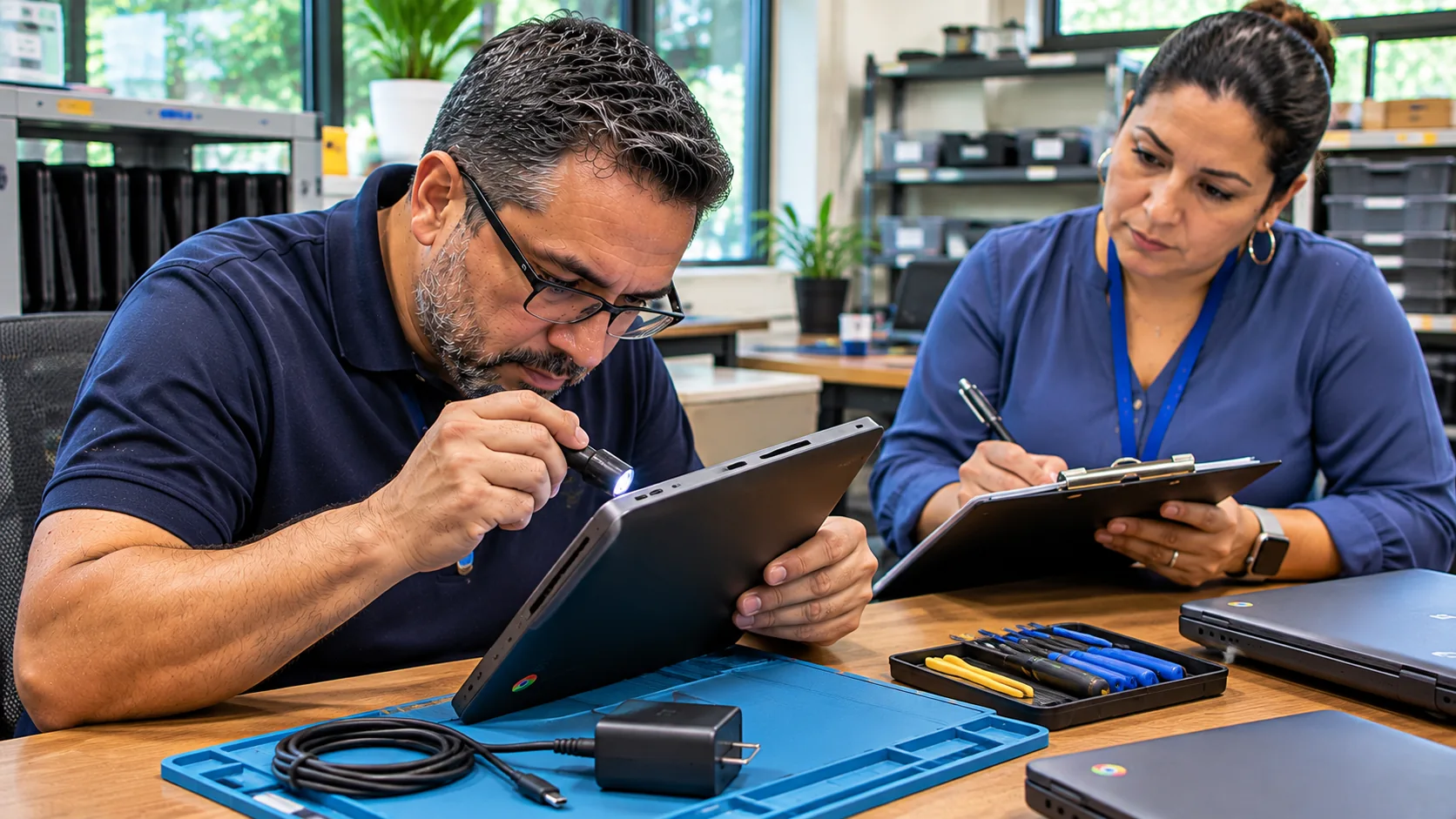
Model-specific charging diagnostics and documented school device intake.
Charging-port repair is appropriate only after a qualified technician confirms connector, port-board or board-level damage and checks whether the correct component can be serviced on that exact Chromebook model. A device that does not charge may instead have an unsuitable adapter, failed cable, depleted battery, damaged power circuit or software/controller issue.
These categories are for intake and triage, not a diagnosis made by a student or teacher.
Cable moves unusually or charging cuts in and out; stop repeated insertion.
Visible damage, debris or a plug that will not seat normally; never probe with metal.
Some models have more than one USB-C port; permitted charging behavior varies by model.
A known-compatible, undamaged approved charger may isolate the accessory.
Movement-related disconnects can indicate port wear, cable strain or internal damage.
Stop using and charging immediately; isolate according to school safety policy.
Only perform external checks on devices with no signs of heat, swelling, exposed conductors or other physical hazards. Staff should not force plugs, insert metal objects or open equipment without training and authorization.
| Observed symptom | Safe school-level action | What qualified IT should assess |
|---|---|---|
| No charging light / no power | Check the outlet and an approved compatible charger on an undamaged unit | Battery, charger, USB-C board or system power fault |
| Charges only at an angle | Record the symptom; stop manipulating the cable | Port or cable mechanical damage |
| One USB-C port charges, another does not | Check manufacturer-supported charging ports before testing | Possible port-specific failure |
| Cable will not insert fully | Visually inspect without inserting tools | Debris, damaged tongue or incorrect connector |
| Charging stops when desk is moved | Document without repeating stress on the connector | Loose connector, cable or internal connection |
| Port is hot, charred or smells unusual | Stop use and disconnect power if safe | Potential electrical hazard; specialist triage |
| Battery percentage falls while plugged in | Confirm approved adapter wattage and model requirements | Insufficient power, battery or charging-system issue |
| Cart does not charge multiple devices | Check cart power and cable management per manufacturer | Cart-side fault rather than many damaged ports |
Useful ticket evidence: asset tag, manufacturer/model and hardware revision, port location, charger specification, observed charging behavior, physical damage and whether the device is safe to handle.
The term “charging port repair” covers several different outcomes. On some models, the USB-C receptacle is part of a replaceable daughterboard; on others, it is attached to the motherboard and may require board-level work or a larger assembly. Never order a generic port by appearance alone.
| Finding | Potential next step | School approval question |
|---|---|---|
| Failed charger or cable | Replace approved accessory | Does the replacement meet the exact device power requirements? |
| Serviceable USB-C daughterboard | Check OEM service manual and compatible part number | Is it covered by warranty or authorized school service? |
| Motherboard-mounted damaged port | Qualified board-level assessment or assembly quote | Does repair make sense against replacement cost and device age? |
| Battery or power-management fault | Follow battery/system diagnosis instead | Have port faults actually been ruled out? |
| Burnt, wet or physically unsafe device | Stop charging and follow safety escalation | Who is authorized to isolate, assess and transport it? |
For model-specific procedures consult the manufacturer’s service documentation. A Google ChromeOS hardware diagnostic is useful supporting evidence, but it cannot prove that a particular USB-C connector needs soldering.
Use the school inventory identifier and exact device model; avoid unnecessary student identifiers.
Note which port, charging indicator, approved adapter and cable were involved.
Swelling, overheating, smoke, burning odor or exposed wiring means stop use and charging.
Confirm whether vendor warranty, protection plan or school repair policy applies.
Require part, labor, diagnostic scope, warranty and estimated downtime.
Assign a managed loaner and record device checkout/return when needed.
Create a ticket with asset tag, symptom and safe-to-handle status.
Separate charger, cable, cart and port symptoms without forcing a connection.
Verify service manual, exact hardware revision and repairable assembly.
Confirm warranty, part, labor, price and expected downtime.
Use authorized technicians and manufacturer safety procedures.
Check charging, both relevant ports, enrollment, asset record and loaner return.
Answers for school administrators, IT coordinators and teachers deciding whether to request a repair, approve a part or provide a loaner.
For related but different problems, see battery replacement and charging cart repair.
A damaged USB-C port is only one possibility. Check for visible hazards first; on a safe device, authorized staff can review the outlet, approved adapter, cable and model-supported charging port before escalating battery or board faults.
On a physically undamaged unit, compare behavior using an approved, known-compatible charger and cable. Record the result rather than assuming the connector is defective; intermittent behavior may still require professional inspection.
Sometimes. Repairability depends on exact model and board design: a replaceable USB-C daughterboard, a motherboard-mounted connector or a non-serviceable assembly may require very different work.
No universal assumption is safe. Check the exact manufacturer specifications and port markings; ports may have different capabilities across models and revisions.
Stop bending or forcing the connector. Record the symptom and remove the device from routine charging until the cable and port can be assessed for mechanical damage.
Teachers should not insert pins, metal objects, liquids or improvised tools. Follow the manufacturer’s approved cleaning guidance; suspected obstruction or bent contacts should go to qualified support.
Stop using and charging the Chromebook immediately. Keep students away, follow the school electrical/fire safety procedure and have qualified personnel assess it; do not test repeatedly.
Disconnect power if safe, stop use and escalate. Heat can signal electrical resistance, damaged hardware or another fault and should not be treated as a routine software problem.
Yes. Battery failure, deeply discharged cells and power-management problems can mimic port faults. A qualified diagnosis should distinguish them before replacement.
An adapter below the manufacturer’s required power specification may charge slowly, fail to charge under load or be unsuitable. Use an approved power supply with correct USB-C Power Delivery support and ratings.
No. USB-C connector shape does not guarantee sufficient wattage or compatibility. Follow the Chromebook manufacturer’s adapter requirements and school procurement policy.
It depends on whether the problem is an accessory, replaceable daughterboard or motherboard-mounted port, plus parts, labor and warranty. Request an itemized model-specific quote; ITCAD does not promise a universal price.
Timing varies with diagnostic findings, part availability, warranty approval, model construction and technician scheduling. Arrange a managed loaner if instructional continuity requires it.
Yes, schools can organize multiple tickets by model and symptom, but each device still needs an individual diagnosis and asset record. Grouping identical parts may help procurement without assuming identical faults.
A physical port repair does not inherently require wiping data, but motherboard replacement or recovery procedures may. Follow school backup, privacy and managed-device policies before service.
A simple port replacement ordinarily does not deprovision a device, but motherboard replacement can affect identity and enrollment workflows. Authorized IT should verify management and sign-in before return.
Coverage depends on the manufacturer, warranty terms, cause of damage and any school protection plan. Confirm eligibility before opening the device or approving third-party work.
No unsupervised electrical or board-level repair should be assigned to students. Follow school safety policy and manufacturer-authorized training requirements.
Investigate the charging cart, outlets, power distribution and cables before concluding that many USB-C ports failed simultaneously. Use the cart manufacturer’s troubleshooting procedures.
Yes. USB-C ports may support charging, data and video functions depending on the model. A qualified post-repair check should verify the supported functions, not charging alone.
Compare a confirmed repair estimate with replacement cost, warranty, remaining ChromeOS update support, other hardware problems and student downtime. Avoid investing in a port repair without reviewing the device lifecycle.
Provide school location, asset tag, exact make/model, charger rating, symptom, visible condition, warranty status, number of devices and an authorized contact. Do not include student passwords or unnecessary personal data.
Authorized staff should verify stable charging with the approved adapter, supported port functions, absence of abnormal heat, managed enrollment and accurate inventory/ticket closure.
No. ITCAD must confirm model, fault, service scope, parts, safety condition, scheduling and approval. Some units may be better referred to manufacturer service or replaced.
ITCAD can review school requests in Atlanta and nearby Fulton and Cobb County. Model compatibility, warranty eligibility, service capability, parts, costs and availability must be confirmed before any repair is authorized.
Send the model, number of affected devices, observed symptoms, school location and authorized contact. Flag any heat, smell, physical damage or swelling before intake so safety can be reviewed.
Create your account, then open a ticket. Requests are reviewed through the ITCAD support process.